Friday, September 30, 2016
WordPress blogging platform reveiw

JBrock Consulting Inc is creating a new eCommerce site to support the mission of helping business and individuals succeed in business as entrepreneurs. We have deployed an internal WordPress development system for testing using Microsoft WebMatrix development application. In conjunctions with setting up a new WordPress site, we are reviewing and updating our development platform.
The first step in the process is installing and configuring WordPress. Our first preference was to host on our internal Web server. This is the most cost effective option, but requires additional configuration and support. We are using this as our back and recovery option.
The second option is to have our WordPress site hosted. JBrock Consulting is a Microsoft certified, so Azure hosting and web application development was a natural fit. We were able to get our WordPress site up and running in a few hours. The speed and the performance of the site are very good and fits our needs.
The second option was to use Amazon Web Service (AWS) to host our WordPress site. We reviewed the service and implementation process. The configuration and set up of WordPress on AWS required a SSH or Putty to begin implementation. At the time we put, AWS on the back burner.
We are excited about rolling out our new WordPress site. Please check out our new site at JBrock Consulting Inc.


Wednesday, June 1, 2016
Home Automation

We started our journey towards Home Automation with the purchase of the Nest thermostat. The projected cost savings was approximately 10% of heating bill. This would cover the cost of the Nest in year (1) one.
I got the Nest thermostat as a Christmas gift so I had no up front cost. Once it was unwrapped, we did a product review video and updated the installation instructions. The only concern I had was the wiring. Since the wiring was low volt, labeling and installation of the thermostat was simple.
Nest has created installation videos that makes the process relatively simple.( Nest Installation video ) Once the Nest is installed, you connect it to your wireless network and your off and running.
The next step was to install Nest application on my smart phone, I configured Auto-away which sets the temperature at lowest level which was typically 60 degrees. This helps save energy costs while everyone is away at work. The last step to complete Home Automation is to set up a heating schedule. The schedule warms up the house prior to us waking up for the day.
The Nest has saved on heating cost and can be proven out by the Energy History report. The Nest has helped us begin our journey towards Home Automation.
Tuesday, April 21, 2015
Hybrid Cloud Infrastructure Review

The goal for our migration to virtualization and Hybrid cloud is to respond to customer needs faster, save money for our clients, and integration of onsite and cloud infrastructure.
The following benefits can be realized by Azure cloud infrastructure:
- Azure Stream Analytics provides insight into devices, sensors, infrastructure, and applications.
- Azure Document-DB none SQL query and transaction processing.
- Increased privacy protection and improved security compliance.
We are implementing Azure automation to save time and money completing cloud management tasks. We are looking to improve operations and customer services utilizing Azure platform!
Sunday, March 22, 2015
Snow boarding Video blog
Snow boarding video
Snow boarding is a great winter activity especially in North East of New England. The snow boarding season has been exceptional as we have been berried with snow. I enjoy free style boarding, racing, and cruising the mountain.

Currently I am ridding a Burton Blunt with Malavita bindings. While ridding in the North East I prefer a flexible board to navigate narrow and some times icy trails. While ridding I enjoy listening to music through my GIRO helmet and capturing video footage on my GoPro.
We have been documenting our snow boarding adventure and technological advances in video capture technology. We will be implementing a video blog in conjunction with our Jbrockproduction YouTube Channel We hope everyone enjoys the season!
Saturday, January 10, 2015
Career development - tools and resources.

Career Development and education often fall on employees shoulders to take advantage of tuition reimbursement. Tuition reimbursement is not often used unless some one is pursuing a masters degree or changing career objectives. Enhancing corporate training and developing trained employees should be high priority goal.
One of the major obstacles in regards to training is finding time. In some situations an employer will give employee the day off to attend training. This benefit should motivate the employee and improve productivity. The bottom line is, employee and employer must find time for career development, training, and education.
In the super competitive job market, employers are looking for candidates with highly specialized skills. Acquiring highly specialized skills can be expensive, so employees must have a career development plan. Make and take time to invest in yourself!
Resources:
iTunes University Education
Learn to code http://www.codecademy.com
MIT open course http://ocw.mit.edu/index.htm
Khan Academy http://www.khanacademy.org/youcanlearnanything
There are many resources available, take the time to find them and utilize! Good luck.
Tuesday, January 7, 2014
Protection against security breach

In today environment, data
breaches are very common. The latest breach affects 2 million Facebook,
Gmail, and Twitter passwords. The hackers installed key logging software maliciously on computer around the world. The software virus captures log in password and sends data to remote servers. Trustwave researchers discover the servers on 11/24/13 in the
Netherlands. The server contained passwords for 93, 0000 accounts on various web sites:
Facebook, Gmail, Yahoo, Twitter, ADP, Linkedin and more.
According to ADP, Facebook, users have been notified and passwords reset.
To cover their tracks, hackers used a Proxy server to route
compromised information.
It is recommended that you
change your passwords on a regular basis. Users should change passwords at
least 3 times per year,
The affected sites L( Facebook, Gmail, Yahoo,
Twitter, ADP, Linkedin)
Review the following:
1. Two set password verification should be set up
on all web sites especially financial.
2. Password rotation system should be developed
Once hacker has users ID
and password, the first thing they do is access your email. The may send out
spam or viruses. They are really looking for your bank account information. They
will try the obtained user ID and password to access your account. It is very
important to have different password for key accounts.
Improved computer forensics should help detect and prevent these type of security breaches in the future. More information to follow on protecting your on line account to follow!
Tuesday, July 9, 2013
Tuesday, June 18, 2013
Great place to work

The best place to work is always a good read to help
determine what constitutes great work environment. The first consideration
usually is pay and benefits. All things being equal work environment is key
factor as well.
The current study I am reviewing was written by Julia King
for Computerworld. The top 100 companies have great benefits, challenging
projects, training, which keeps employees engaged and happy. One of the keys
for each company is they value and support their workers. These are companies we should support with
our buying power.
100 best companies to work for:
1.
U.S.A.A is a growing company to the tune of 8%
annually. U.S.S.A insurance invest heavily in training by providing $10,000 per
year tuition / training reimbursement.
U.S.S.A has great pay and
benefits, annual bonus of 18% of annual salary.
http://www.ussa.com provides financial
services to the USA military and their families.
2.
CareerBuilder success is based on providing
opportunities for staff to continue education initiatives and rewards for
strong performance. CareerBuilder offers
$10,000 a year in tuition reimbursement and an employee innovation competition
where employee can earn additional $10,000.
Total bonuses for IT staff can reach 20% of annual salary. http://www.careerbuilder.com/ offers career placement and career planning
advice.
6.
Verizon Wireless invests in employees by providing online training,
instructor lead course and $8000 a year tuition reimbursement. Verizon Wireless was able to release a new
sales portal capable of handling increased usage due to employee’s efforts and
training. http://www.verizonwireless.com/
provide mobile services to corporate and individual users.
8. Salesforce.com has high
employee involvement in developing hosted CRM applications. IT uses Force.com to create apps for team
projects. The company has a renowned internal
social network called chatter. The portal allows users to share ideas,
collaborate, and discuss technologies. http://www.salesforce.com
11. University of Pennsylvania one
of the premiere Ivy League University offers great benefits, tuition
reimbursement, 403B retirement plan, and a flexible work environment. Some of
the additional perks include discount on cars, computers, and cultural events.
ISC Exploration allows staff a day to explore new ideas, technologies, and
processes.
13 Cedars-Sinai Health System
views I.T. as a strategic partner in filling organizations goals. I.T. staff are trained on latest medical
technologies such as electric health records and implement systems to automate
tasks. The overall goals is to improve
patient care.
16. Principal Financial Group
Collaboration is emphasized with all departments on technology driven projects.
Employees customize their careers paths and are able to work flexible hours
which is great value to employees.
Wednesday, February 13, 2013
Brookline High 30 YEAR REUNION "Class of 1982"
.JPG)
The Brookline High School class of 1982 recently had our 30-year reunion. The union was held on June 30 2012 at the Hyatt Regency hotel in Cambridge. We had a fantastic venue with an outdoor patio overlooking the Charles River. The dance floor was sunken and overlooked the Boston sky line, what a great venue. A big shout out and thank you to the Hyatt staff that did a great job!

 Leading up to the reunion, the reunion committee worked very hard planning and organizing the event and festivities. We had a fantastic reunion committee:Jonathan Brock, Deb Thomas, Laura Finkel, Daniel Mirel, Tania Hood, Matthew and Sonja Dahlberg. Many other classmates provided additional assistance and much needed support!
When planning an event, the most difficult part is getting the ball rolling. After surveying the class we decided to have a summer reunion. The summer worked for most people, but classmate were not able to make it. The cost of the reunion was kind of high as weak economy was noted. Some classmates told us the ticket prices where to high, which hurt the over all turn out. Besides the challenges we faced, we made the event a huge success.

One of the major decisions we had to make was concerning a reunion social mixer.We decide to have a meet and greet at Golden Temple. We had a private function room and enjoyed drinks while meeting classmate. It was great getting reacquainted with every one, some who we hadn't seen in years.

During the planning phase and while working with the reunion committee team, I researched and developed skills in event planning and project management. Both of these skills have high value in the business market. If we pulled off a successful reunion we could consider our selves project and event planning experts. Based on the feed back we got from our classmates, the reunion was a great success.

The organization of the reunion was made easier using Facebook. Annika Picker Frisk got the ball rolling by creating BHS Class of 82 page. We did a lot of organizing and communication via Facebook and email.
The reunion week end festivities started with meet and greet at the Golden Temple in Brookline as previously notes. The event was well attended (some classmates came who were not able to attend reunion). The night of the reunion we had such a great time: drinks, dinner, and dancing. Hustle Simmons (Cory Hill) a graduate of BHS did the DJ and spun our favorite songs from the 80's. It was great getting together with friends and every looked fantastic! 
In honor of the event and classmates who could not make, we took elementary school group shot photos.

We had an on going photo contest to determine who could capture the best shot and moment. After analyzing all the shots, we could not come up with clear cut winner. All the shots were great and every one looked pretty sexy.

We also would like to thank everyone who made our reunion such a memorable event! The BHS Alumni Association was great especially Stan Goldberg ‘60 and Lynda Ritter Kirby ’79 for providing assistance and support. Lastly, we would like to give a shout out to class of 81 as well!


Looking forward to seeing every one at our next event.

The 30 year reunion was special as we reached many mile stones: hopefully successful career, raising families, and seeing our kids off to college. What a year!


Looking forward to seeing every one at our next event.
The 30 year reunion was special as we reached many mile stones: hopefully successful career, raising families, and seeing our kids off to college. What a year!
Best wishes and hope to see every one soon!
Tuesday, December 25, 2012
Merry Christmas
Hope you all have a great day and are touched by the miracle of Christmas. Best wishes on this joyous occasion!
Monday, December 10, 2012
SharePoint 2007 Database Migration process

My client was in a position where the entire SharePoint database needed to migrate to a new server or a larger drive. The system drive was completely full. We had to come up with a solution to move all the data and minimize and potential data loss.
The first step is to use SQL management studio to ensure you have a good back up of all your databases. Once this is done you can easily restore database if need be.
Additionally, to ensure no users are trying to access SharePoint databases, stop all Windows SharePoint services using run and service.msc. Also all of the application pools should be stopped along with SharePoint web sites in Internet Information Services.
The next step that has to be completed prior to moving databases, taking databases off line and detaching prior to any move sequence. Open SQL management studio and select the database you need to take off line. (You want to make sure no users are on SharePoint). Right click database and select detach and drop.
The last step is to physically move the database to a larger drive or another SQL server. This can be accomplished by copying data or restoring to new location. Repeat step by attaching databases and restarting all SharePoint services and Internet Information Services web site. Project complete along with happy client.
Monday, November 19, 2012
The economics of Bain, cheap profits

Despite the hard work of the 170 employees who helped build the company, their jobs are being sent to China. (The factory is set to close December 2012). The move of the factory from Freeport Illinois to China is projected to generate modest profits for Bain partners. Additionally under current corporate taxes laws, they will get a small tax break for relocating to China.
(US workers protesting a factory closing, moved to China)
Companies that send US jobs over seas should not get any tax breaks. Additionally, it is projected that some taxes will be deferred on income generated over seas. The fact that some US companies have no goodwill towards it workers should not be over looked. The executive teams, stock holders, and investors who influence these decisions need to be held accountable. US workers and citizens need to continue to protest such actions, publicize such actions, and vote with your dollars where possible. As people who are being affected by such decisions say, "enough is enough".
In the current economic climate, the US economy needs to produce more jobs and sustain growth. We need to support corporations that value their workers as opposed to those who value cheap profits at the expense of the US as a whole.
Wednesday, October 24, 2012
Wild Ride Technology Forrest

We went to North-face to check out snowboarding
pants and video cameras. I always thought North-face gear was nice but kind of expensive. I checked out the snowboarding pants and they seem reasonably priced around $250. I checked out the Go-pro video camera and think there pretty cool. After browsing for a little while, we decided to leave.

I find it amazing how far technology has come. I plan on purchasing some cool new snow boarding pants and a mobile camera to document my Wild Ride through the technology Forrest. Make each run your best!
Wednesday, August 29, 2012
A mysterious email beware!
Over the last 10 years we have made the switch from letter and phone correspondence to email overload.

Since email is so prevalent, email administration is critical.
As email has proliferated, spam and spyware has increased. Many email servers have been compromised by the ability of an email server to receive email from an unknown sender and then
sending it on to a recipient or recipients, which could number in the thousands, that are
not users of that email system.
The protocol responsible for relaying is called SMTP or Simple Mail Transfer Protocol. This protocol belongs to the TCP/IP family and is used by email servers to transfer email from the senders email server to the recipient or recipients’ email server or servers. The default port that it works on is port 25.
SMTP is used to relay email from the host to the recipient’s email
server. A company that has an open relay can caused spam related issue,
so closing this loop and controlling relay is critical. This is done in different ways
depending on the email server platform. To get a detailed explanation of the SMTP protocol and how it works see the Internet Engineering Task Force’s (IETF) Request for Comments (RFC) 821 and 822
located at www.ietf.org.
You can check for relay by telnet to your email server using the following command:
telnet [server name] [port number]
The server will reply with a 220 message indicating that it is ready. Other commands
that you can use are HELO, MAIL FROM:, and RCPT TO.
The greatest threat comes in the form of Unsolicited Commercial Email (UCE) or SPAM.
Besides being very annoying SPAM has been and is becoming a very big problem, with
some very serious side effects, for the Internet community. It has become such a
problem that the IETF released RFC 2505 “Anti-Spam Reco
Sending a large amount of SPAM , it could cause a
Denial of Service (DoS) situation where the server is over loaded and can not process valid email. Also if the server has issues processing email, the hard drive can fill up causing server to crash.
One of the side effects of having an open relay and sending spam is getting black listed. The two domains that blacklist companies are Comcast and Barracuda networks. You illegitimate email will not get delivered and subsequent user complaints will follow. You will have to go through a process of rectifying the SPAM issue then requesting to be removed from domain blacklist. These blacklist
databases are used by many organizations to block UCE from getting into their email
systems. Two well-known organizations are Open Relay Behaviour-modification System
(ORBS) and Mail Abuse Prevention System(MAPS). More information about these two
organizations can be found at www.orbs.org and www.mail-abuse.org respectively. This
can start to cause you as the email administrator some serious problems with your users
as they will be unable to send their email to any of the domains that has your server on
their blacklist.
Another serious issue related to this problem is spam email are generally done to spoof people in to providing confidential information especially credit card numbers. There can be some legal obligations to correct corresponding issue as quickly as possible. For a good legal reference on UCE in the United States (Federal and State), European Union, as well as many other countries check out www.spamlaws.com.
Reference Security CERT RFQ:
Exchange Server
In this section I will detail the process of configuring Microsoft’s Exchange Server as to
preventing it from being an open relay server.
Exchange Versions
With versions of Exchange Server below 5.0 it is impossible to configure the server to be a secured relay. If your Exchange Server version is below version 5.0 the recommended
path is to upgrade to at least Exchange server 5.5 Service Pack 2 with the encapsulated
SMTP relay address patch. If you are running Exchange Server 5.0 you are able to stop
the open relay function but you have to disable POP3/IMAP. This version of the software should also © SANS Institute 2003, Author retains full rights
Internet Mail Connector
The Internet Mail Connector (IMC) is the service that is installed to allow your Exchange
Server to act as an SMTP server. By default this service is not installed during
installation, instead it is installed by running the Internet Mail Wizard after the exchange
installation is complete. To run the Internet Mail Wizard go to File ‡ New Other ‡
Internet Mail Service. By default the wizard does not put any controls on who can use
your Exchange server as a relay. After you have your Exchange server installed with the
default settings of Internet Mail Connector service your exchange server is vulnerable to
open relay.
Configuring Internet Mail Connector To Stop Open Relay
Since all the configuration changes happen in the IMS, the first step is locating the
properties for the service. Open your Exchange Administrator program and connect to
the Exchange server that has the IMS service installed. You will notice that the
Exchange Administrator is set up just like Windows Explorer with Containers on the left
hand side and objects on the right hand side. Once open find the Connections container
located under your\\configuration container in the left hand
column. Once highlighted you will notice connector objects on the left hand side, one
should be named Internet Mail Service (). You can view the IMS
properties by double clicking on it. Once open you will see several tabs, locate the
Routing tab and click on it to view the routing properties.
The first thing you notice near the top of the properties sheet is the option of Do not
reroute incoming mail or Reroute incoming SMTP mail (required for POP3/IMAP4
support). The obvious choice would seem to be the first, but, do not use it for your
system will not relay messages, but will receive them and then send a non-deliverable
message back to the return address of the message. This is not good because first it put
undo burden on your email system by accepting potentially very large email messages
but could also be used as a reverse UCE attack with your system involved. The best
selection here is the second selection.
Next you see a box titled Routing. On the right hand side of the screen select the add
button. In the ‘email sent to this domain’ enter your domain name. Next select the
option ‘should be accepted as “inbound”’ indicating that these are the only domains that
the SMTP server will accept mail for.
After you have set all of the domains that your server will be accepting mail for click on
the ‘routing restrictions’ to open your ‘routing restrictions’ properties page. The first
option is ‘Hosts and Clients that successfully authenticate’ which allows relaying of messages to only users that have accounts on your server or another way to validate who
the user is with the server. The next option is ‘Host and Clients with these IP
addresses’. With this option you can specify by IP address who is allowed to relay
through your system or what subnet is allowed to relay through your system. For
example a single IP address would put in their address and the subnet mask of
255.255.255.255. For a subnet you would specify the network portion of the IP address
and let 0 represent the client addresses with the subnet mask to match. The next option is
‘Hosts and Clients connecting to these internal addresses’. What this does is allows
relaying of clients who can access a specific interface on a multi-homed system. Do not
check this unless you have reason to do so. And the last option you have to prevent open
relaying through your Exchange server is ‘Specify the hosts and clients that can NEVER
route mail’. This option is pretty self-explanatory and works by denying specific IP
address or subnets.
After all the changes have been made to secure your SMTP server you have to stop and
restart the Microsoft Exchange Internet Mail Service located in the services on the
control panel.
This concludes my paper on Open Relay and configuring Exchange server to not being an
open relay system.
References:
Edwards, Mark Joseph. “Who’s Using Your Mail Server?.” 31 Aug 2000
http://www.windowsitsecurity.com/Articles/Print.cfm?ArticleID=15480 (10 Oct 2000)
Howard, Mark. “Coping with Unsolicited Email” 1 Oct 1999
URL:http//www.exchangeadmin.com/Articles/Print.cfm?ArticleID=6174 (10 Oct 2000)
Microsoft. “Inside Exchange Internet Mail Service” 2000
URL:http://www.microsoft.com/exchange/techinfo/InsideIMS.htm” (10 Oct 2000)
Minasi, Mark. “Untangling Email” 1 Apr 1998
URL:http://www.win2000mag.com/Articles/Print.cfm?ArticleID=3024 (10 Oct 2000).
Reavis, Jim. “Are you an accidental spammer?” 23 Aug 1999
URL:http://www.nwfusion.com/newsletters/sec/0823sec1.html?nf (10 Oct 2000)
Redmond, Tony. “Exchange 2000 and SMTP” 9 Feb 2000
URL:http://www.win2000mag.com/Articles/Print.cfm?ArticleID=8140 (10 Oct 2000)
Toombs, Douglas. “Junk Email – Protect your Exchange Server from Junk Email.” 1 Aug
2000 URL:http://www.winntmag.com/Articles/Print.cfm?ArticleID=3673 (10 Oct 2000)

Since email is so prevalent, email administration is critical.
As email has proliferated, spam and spyware has increased. Many email servers have been compromised by the ability of an email server to receive email from an unknown sender and then
sending it on to a recipient or recipients, which could number in the thousands, that are
not users of that email system.
The protocol responsible for relaying is called SMTP or Simple Mail Transfer Protocol. This protocol belongs to the TCP/IP family and is used by email servers to transfer email from the senders email server to the recipient or recipients’ email server or servers. The default port that it works on is port 25.
SMTP is used to relay email from the host to the recipient’s email
server. A company that has an open relay can caused spam related issue,
so closing this loop and controlling relay is critical. This is done in different ways
depending on the email server platform. To get a detailed explanation of the SMTP protocol and how it works see the Internet Engineering Task Force’s (IETF) Request for Comments (RFC) 821 and 822
located at www.ietf.org.
You can check for relay by telnet to your email server using the following command:
telnet [server name] [port number]
The server will reply with a 220 message indicating that it is ready. Other commands
that you can use are HELO, MAIL FROM:, and RCPT TO.
The greatest threat comes in the form of Unsolicited Commercial Email (UCE) or SPAM.
Besides being very annoying SPAM has been and is becoming a very big problem, with
some very serious side effects, for the Internet community. It has become such a
problem that the IETF released RFC 2505 “Anti-Spam Reco
Sending a large amount of SPAM , it could cause a
Denial of Service (DoS) situation where the server is over loaded and can not process valid email. Also if the server has issues processing email, the hard drive can fill up causing server to crash.
One of the side effects of having an open relay and sending spam is getting black listed. The two domains that blacklist companies are Comcast and Barracuda networks. You illegitimate email will not get delivered and subsequent user complaints will follow. You will have to go through a process of rectifying the SPAM issue then requesting to be removed from domain blacklist. These blacklist
databases are used by many organizations to block UCE from getting into their email
systems. Two well-known organizations are Open Relay Behaviour-modification System
(ORBS) and Mail Abuse Prevention System(MAPS). More information about these two
organizations can be found at www.orbs.org and www.mail-abuse.org respectively. This
can start to cause you as the email administrator some serious problems with your users
as they will be unable to send their email to any of the domains that has your server on
their blacklist.
Another serious issue related to this problem is spam email are generally done to spoof people in to providing confidential information especially credit card numbers. There can be some legal obligations to correct corresponding issue as quickly as possible. For a good legal reference on UCE in the United States (Federal and State), European Union, as well as many other countries check out www.spamlaws.com.
Reference Security CERT RFQ:
Exchange Server
In this section I will detail the process of configuring Microsoft’s Exchange Server as to
preventing it from being an open relay server.
Exchange Versions
With versions of Exchange Server below 5.0 it is impossible to configure the server to be a secured relay. If your Exchange Server version is below version 5.0 the recommended
path is to upgrade to at least Exchange server 5.5 Service Pack 2 with the encapsulated
SMTP relay address patch. If you are running Exchange Server 5.0 you are able to stop
the open relay function but you have to disable POP3/IMAP. This version of the software should also © SANS Institute 2003, Author retains full rights
Internet Mail Connector
The Internet Mail Connector (IMC) is the service that is installed to allow your Exchange
Server to act as an SMTP server. By default this service is not installed during
installation, instead it is installed by running the Internet Mail Wizard after the exchange
installation is complete. To run the Internet Mail Wizard go to File ‡ New Other ‡
Internet Mail Service. By default the wizard does not put any controls on who can use
your Exchange server as a relay. After you have your Exchange server installed with the
default settings of Internet Mail Connector service your exchange server is vulnerable to
open relay.
Configuring Internet Mail Connector To Stop Open Relay
Since all the configuration changes happen in the IMS, the first step is locating the
properties for the service. Open your Exchange Administrator program and connect to
the Exchange server that has the IMS service installed. You will notice that the
Exchange Administrator is set up just like Windows Explorer with Containers on the left
hand side and objects on the right hand side. Once open find the Connections container
located under your
column. Once highlighted you will notice connector objects on the left hand side, one
should be named Internet Mail Service (
properties by double clicking on it. Once open you will see several tabs, locate the
Routing tab and click on it to view the routing properties.
The first thing you notice near the top of the properties sheet is the option of Do not
reroute incoming mail or Reroute incoming SMTP mail (required for POP3/IMAP4
support). The obvious choice would seem to be the first, but, do not use it for your
system will not relay messages, but will receive them and then send a non-deliverable
message back to the return address of the message. This is not good because first it put
undo burden on your email system by accepting potentially very large email messages
but could also be used as a reverse UCE attack with your system involved. The best
selection here is the second selection.
Next you see a box titled Routing. On the right hand side of the screen select the add
button. In the ‘email sent to this domain’ enter your domain name. Next select the
option ‘should be accepted as “inbound”’ indicating that these are the only domains that
the SMTP server will accept mail for.
After you have set all of the domains that your server will be accepting mail for click on
the ‘routing restrictions’ to open your ‘routing restrictions’ properties page. The first
option is ‘Hosts and Clients that successfully authenticate’ which allows relaying of messages to only users that have accounts on your server or another way to validate who
the user is with the server. The next option is ‘Host and Clients with these IP
addresses’. With this option you can specify by IP address who is allowed to relay
through your system or what subnet is allowed to relay through your system. For
example a single IP address would put in their address and the subnet mask of
255.255.255.255. For a subnet you would specify the network portion of the IP address
and let 0 represent the client addresses with the subnet mask to match. The next option is
‘Hosts and Clients connecting to these internal addresses’. What this does is allows
relaying of clients who can access a specific interface on a multi-homed system. Do not
check this unless you have reason to do so. And the last option you have to prevent open
relaying through your Exchange server is ‘Specify the hosts and clients that can NEVER
route mail’. This option is pretty self-explanatory and works by denying specific IP
address or subnets.
After all the changes have been made to secure your SMTP server you have to stop and
restart the Microsoft Exchange Internet Mail Service located in the services on the
control panel.
This concludes my paper on Open Relay and configuring Exchange server to not being an
open relay system.
References:
Edwards, Mark Joseph. “Who’s Using Your Mail Server?.” 31 Aug 2000
http://www.windowsitsecurity.com/Articles/Print.cfm?ArticleID=15480 (10 Oct 2000)
Howard, Mark. “Coping with Unsolicited Email” 1 Oct 1999
URL:http//www.exchangeadmin.com/Articles/Print.cfm?ArticleID=6174 (10 Oct 2000)
Microsoft. “Inside Exchange Internet Mail Service” 2000
URL:http://www.microsoft.com/exchange/techinfo/InsideIMS.htm” (10 Oct 2000)
Minasi, Mark. “Untangling Email” 1 Apr 1998
URL:http://www.win2000mag.com/Articles/Print.cfm?ArticleID=3024 (10 Oct 2000).
Reavis, Jim. “Are you an accidental spammer?” 23 Aug 1999
URL:http://www.nwfusion.com/newsletters/sec/0823sec1.html?nf (10 Oct 2000)
Redmond, Tony. “Exchange 2000 and SMTP” 9 Feb 2000
URL:http://www.win2000mag.com/Articles/Print.cfm?ArticleID=8140 (10 Oct 2000)
Toombs, Douglas. “Junk Email – Protect your Exchange Server from Junk Email.” 1 Aug
2000 URL:http://www.winntmag.com/Articles/Print.cfm?ArticleID=3673 (10 Oct 2000)
Monday, May 28, 2012
iPhone Suri sexy librarian

I came to the conclusion that my iPhone was like a new adventure that would eventually please me. Is it the best thing in the world? Not really, but we are going to make the best of it! Still I am on a learning curve!
Monday, March 19, 2012
Challenge to reach the pinnacle "30"

I wanted to take on a fun challenge so I am planning my 30 year high school reunion with many fantastic friends. During the planning process we have the opportunity to reconnect with old friends and make some new ones along the way.
Looking back on found high school memories, remembering friends, classmates, teammates, crushes,dreams and aspirations. The reflection provides a unique prospective of how we were and where we would like to go.
The experiencing of planning a reunion has been a gratifying experience especially working with the talented group of people on the planning committee. Our reunion is a celebration of our journey to reach the pinnacle and a spring board to future success and happiness. May our futures be bright and the challenges enriching! We are looking forward to seeing many of you in the near future.
Wednesday, February 29, 2012
Super Intelligence

The new device I am rolling out is a Verizon Pantech 4G which has built in video for face to face communication. The Android platform has applications that allow us to communicate socially to family, friends and business partners. Applications are constantly being written to improve our productivity, entertainment, and communication.
The pace of innovation is amazing as speed and capability increases with each new upgrade and release. High definition video, 4G speed, texting, Facebook all come included while storage increases and the devices become more affordable. The Pantech Breakout is the most affordable 4G device in the Verizon line up. See my initial review of this new high tech device.
My Pantech Breakout review
Sunday, January 29, 2012
Targeted Individual - persistent advance threat

The hacker crafts a malware program allowing back door entry into your computer system allowing theft of property, ideas, drawing, and various building and production plans at the corporate level. Today the targets go behind household zombies, but corporations with significant resource, both financially and technologically.
The latest and most sophisticated attacks involve installing remote administrator tools (RATS) on command and control servers on corporate networks. Many of these attacks are developed over months and years to infiltrate various systems.
To counter these attacks, the Open Information security Foundation (OISF) is building the next generation intrusion detection system / intrusion prevention system (IDS/IPS) engine. One protection strategy is to use a layered security technology in addition to user training and education.
Since hackers often find ways to get around perimeter protections, the focus becomes controlling out bound data and communications used to steal information. We need to use best practices to secure data and control the fact that information cannot leave the network or be off loaded.
Implementing security initiatives by protecting mission critical systems via network segmentation and virtual local networks can limit damage. Additional security can be enhanced by limiting peer to peer sharing.
Prevailing wisdom suggest all networks will be potentially compromised so the appropriate response is critical. Currently it can be difficult to find a compromised system which makes correcting issues difficult. One approach is to analyze logs to look for indicators of an intrusion. This usually take the form of internal traffic being redirected to an unauthorized domain name system (DNS) server.
Security top ten
1. Improve security awareness and training among staff
2. Enforce security controls during concept phase
3. Encrypt data on removable media devices
4. Protect passwords change cycle
5. Develop social media program to enhance and protect assets and reputation
6. Review access to key assets frequently (limit privileged access)
7. Develop application white list for employees who manage sensitive data
8. Conduct risk assessments
9. Engage complex authentication
10. Limit access to sites or warn about potential spyware and malware issues
Thursday, December 29, 2011
Future network on my Vizio 48'' HDTV

While doing my product evaluation, I was not sure how much value Wi-Fi and and web applications would provide. After using the web applications, they are definitely worth having. The applications I like the best is Netflix. Watching movies is seamless and you do not experience the drag and disconnects you see on the Xbox. Early morning leisurely movies on the week end are fantastic. After using web applications, you can see how how media is moving towards web content and personal media libraries.
The pre-installed applications that I really like include: Netflix, Twitter, Facebook, Web Videos that include content from Fox, WB, TMZ, SHOWTIME, 4O additional channels. The is a widget Gallery that includes additional web applications that can be down loaded at any time. Media outlets are writing applications to publish content over the web on a continuous basis. Here is an example of applications available for download: Fox5 Las Vegas, Snap (share your life), Live Traffic, Movies Demand, etc. I recommend the Vizio LED HDTV. By the way, set up and installation was a breeze.
I am currently interested Vizio the company!
Wednesday, December 7, 2011
Google maps GPS navigation
Use your Android phone for GPS navigation via Google maps.
Google maps is built into Android devices so the set up is relatively simple. To use Google maps as your GPS, complete the following:
Google maps is built into Android devices so the set up is relatively simple. To use Google maps as your GPS, complete the following:
- Turn on local Stand alone GPS service (settings, locations, security)
- Select Google maps on home screen
- Accept Google service agreement
- Google maps will typically calculate your location based on GPS signal availability
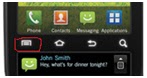 Select options button
 - You will be prompted to enter start (my location GPS) and End point (destination)
- Google maps will give you directions, miles, time based on traffic (you can switch to transit, walk, bike mode)

- Finally you can view directions base on map or navigation (voice and turn navigation)

This can be quite handy if you want to save on purchasing separate GPS system.
Subscribe to:
Posts (Atom)